
Landing pages
Landing page templates are conversion-focused layouts built around a single goal — a download, a demo request or a sign-up. Jingle pairs each landing page with a matching thank-you page to show after the form is submitted.
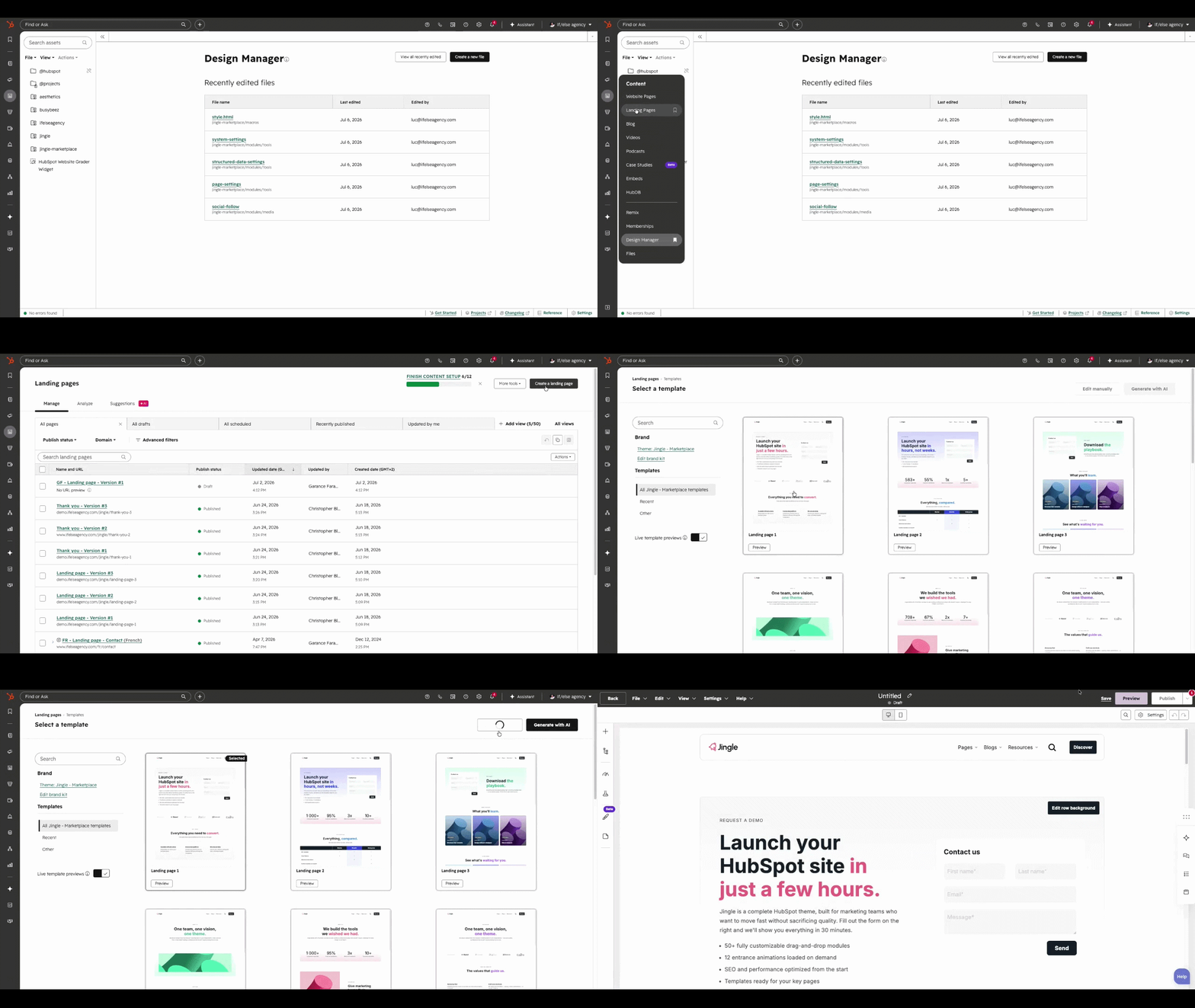
1.
Create a landing page
Go to Content > Landing Pages, then click Create a landing page. The workflow mirrors website pages, but the page is tracked as a campaign landing page.
2.
Choose a Jingle landing template
Select one of the Jingle landing page templates from the Theme templates section, then open it with Edit manually.
3.
Connect the form and thank-you page
Configure the form modules redirect to one of the Jingle thank-you page templates so visitors land on a clear next step after submitting.
On this page