
Save a section from the editor
Once you have arranged modules the way you like, you can save that block as a reusable section and drop it onto any other page built on the same theme. It is the fastest way to keep recurring blocks — CTAs, contact rows, feature grids — consistent across your site.
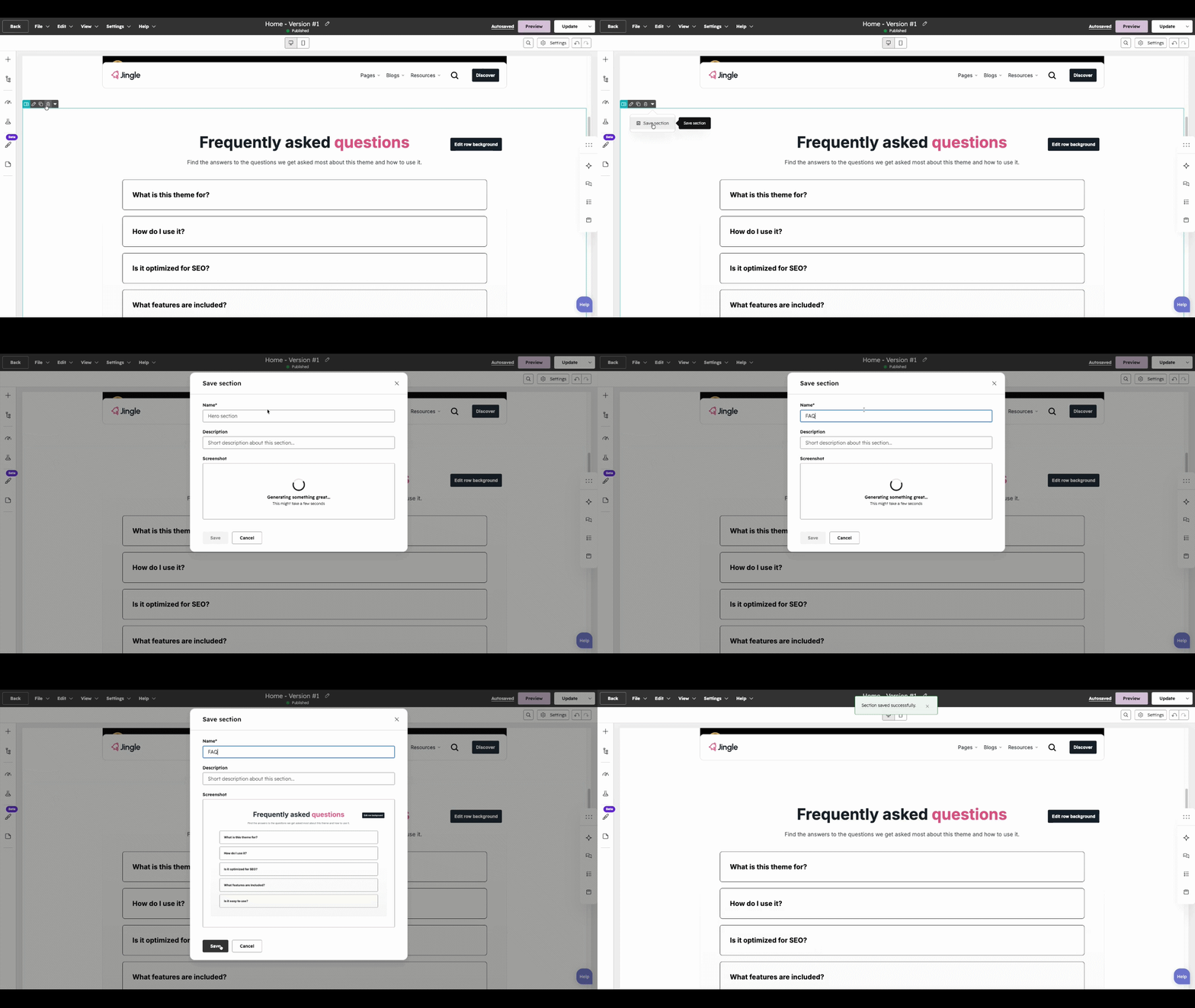
Build or select the section
In the content editor, assemble the modules you want to reuse, or hover over an existing section you would like to save.
Open the section menu
Hover over the section and click the down arrow (carat) that appears, then choose Save section from the menu.
Name and save
In the dialog, enter a clear name and description so the section is easy to find later, then click Save.
Reuse it anywhere
Your section now appears under Saved sections when adding a section to any page on the same theme. Note that HubSpot allows up to 50 saved sections at a time — delete an unused one before saving a new section once you reach the limit.