
Insert a section into a page
Sections let you drop a complete, pre-built block into a page instead of assembling modules one by one. You add them from the drag-and-drop content editor of any website or landing page built on the Jingle theme.
Open the page in the editor
From Content > Website Pages or Landing Pages, click a page name to open it in the drag-and-drop content editor.
Add a section
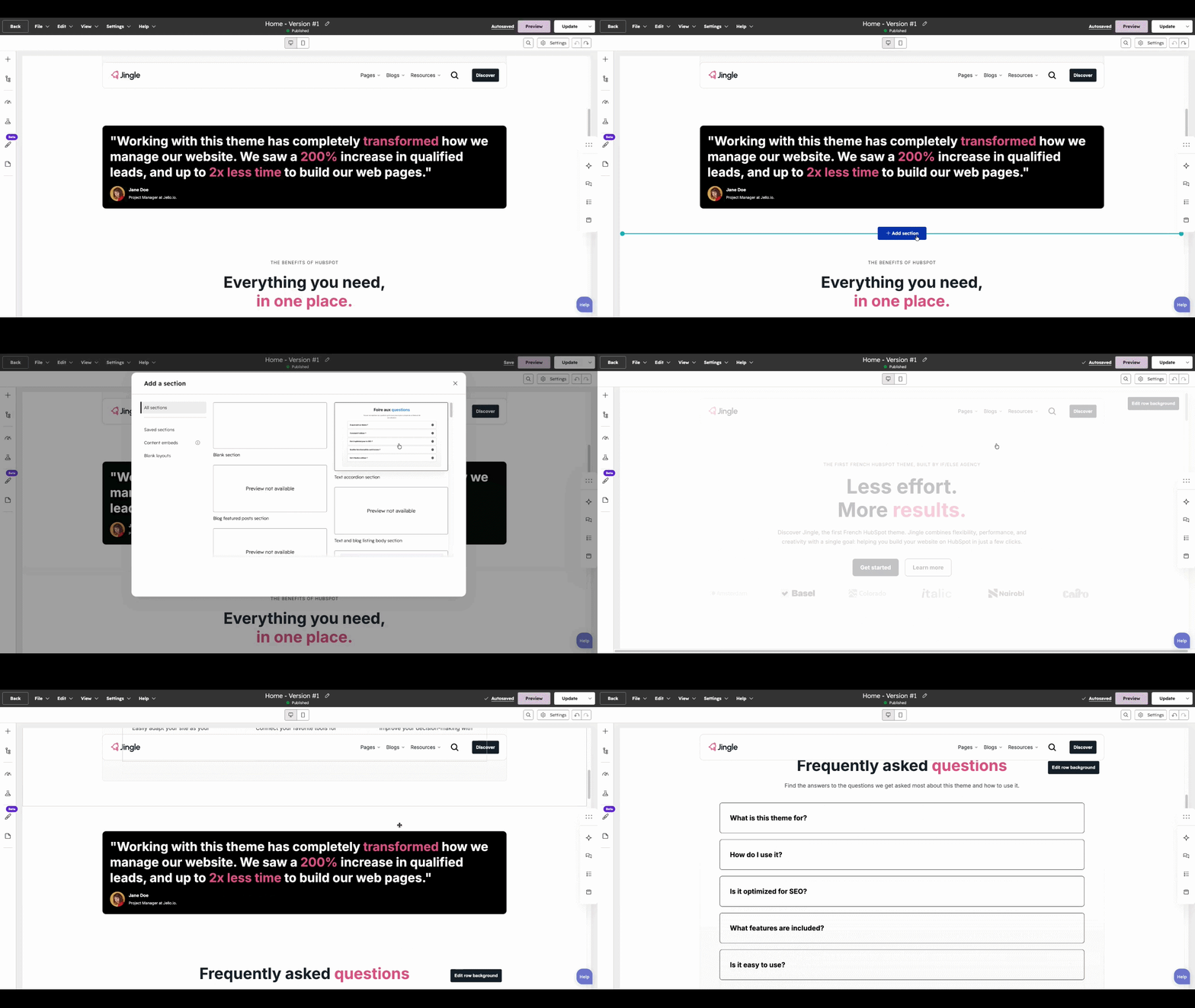
Hover over the area where you want the new block and click + Add section. A dialog opens with the available sections.
Choose a section
Browse the theme sections, or open the Saved sections tab to reuse one you saved earlier, then click it to insert it into the page.
Adjust the content
Every module inside the inserted section stays editable — click any element to change its text, images and settings. You can also drag individual modules in from the Add (+) panel to build a section from scratch.