
Map
The Map module embeds an interactive Google Maps view of a given address through a Google Maps embed iframe. It is meant for contact, location or office pages where you want to show where something is, and lets you drop a map without writing any embed code.
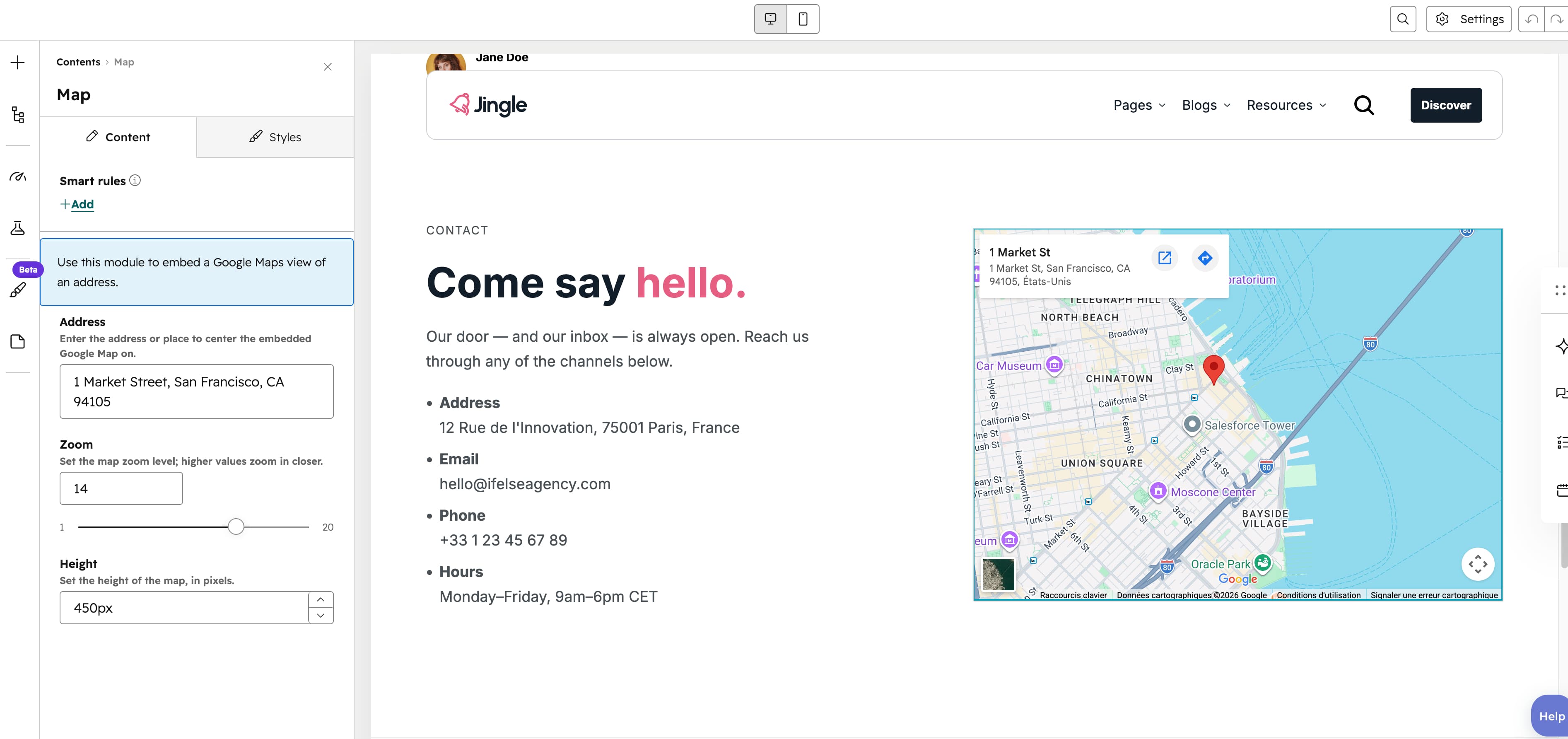
Address
The Address text field accepts any address or place name and sets the location to display; it is URL-encoded into the Google Maps embed query. It defaults to 1 Market Street, San Francisco, CA 94105.
Zoom
The Zoom slider ranges from 1 to 20 in steps of 1 (default 14) and sets how closely the map is zoomed on the address; higher values zoom in closer.
Height
The Height number field sets the embedded maps height in pixels (px suffix, step 1, default 450).
Vertical alignment
The Vertical alignment group sets vertical alignment for each screen size through the Mobile display, Tablet display and Desktop display selects, each offering Top, Center, Bottom, Space around, Space between and Stretch (default Top).
Horizontal alignment
The Horizontal alignment group sets horizontal alignment for each screen size through the Mobile display, Tablet display and Desktop display selects, each offering Left, Center, Right, Space around, Space between and Stretch (default Left).
Text alignment
The Text alignment group sets text alignment for each screen size through the Mobile display, Tablet display and Desktop display selects, each offering Left, Center and Right (default Left).
Animation settings
The Animation settings group controls how the module animates into view. Animation type offers None (default), Fade in, Fade up, Fade down, Fade left, Fade right, Zoom in, Zoom out, Slide up, Slide down, Slide left and Slide right. Choosing any type other than None reveals Duration (0.1-3s, step 0.1, default 0.6s), Easing (Smooth (power1.out), Default (power2.out) [default], Snappy (power3.out), Very snappy (expo.out), Sine (sine.out), Overshoot (back.out), Springy (elastic.out), Bouncy (bounce.out) or Linear (none)) and Delay (0-5s, step 0.05, default 0s), while Travel distance (0-200px, step 5, default 30px) appears only for slide and directional fade animations.
Mobile order
The Mobile order slider ranges from -5 to 5 in steps of 1 and lets you shift the module up or down relative to sibling modules on mobile screens; lower numbers appear first.