
Timeline
The Timeline module displays a sequence of dated entries, each combining a date label, a rich-text description and an image. It is built to present chronological content such as company history, roadmaps or milestones. Use it to lay out a series of points in time.
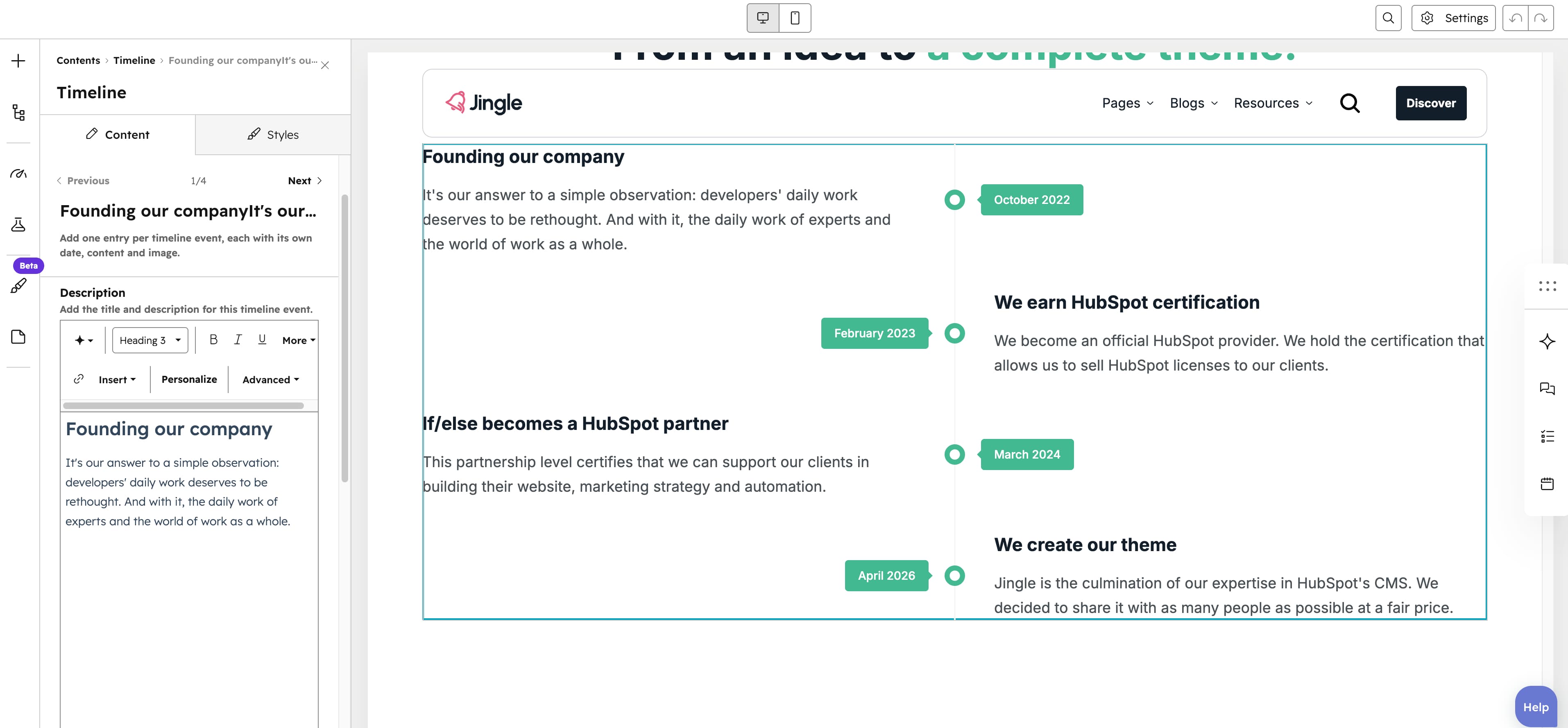
Timeline item
The Timeline item group is repeatable with no maximum (minimum 1, 3 created by default). Each item contains a rich-text Description for the entrys title and body, an Image upload with alt text, an SRC set group offering smaller Tablet image and Mobile image variants, and a Date text field for the events date label (defaults to May 2025).
Horizontal alignment
The Horizontal alignment group sets horizontal alignment per screen size through Mobile display, Tablet display and Desktop display selects; each offers Left (default), Center, Right, Space around, Space between and Stretch.
Text alignment
The Text alignment group sets text alignment per screen size through Mobile display, Tablet display and Desktop display selects; each offers Left (default), Center and Right.
Timeline theme
The Timeline theme select applies a color theme to the timeline: Default (default), First, Second, Third, Fourth, Fifth or Gray.
Animation settings
The Animation settings group controls the scroll-into-view animation. Animation type chooses the entrance effect — None (default), Fade in, Fade up, Fade down, Fade left, Fade right, Zoom in, Zoom out, Slide up, Slide down, Slide left or Slide right. When a type other than None is chosen, Duration (0.1 to 3s, step 0.1, default 0.6s), Easing (Smooth (power1.out), Default (power2.out) [default], Snappy (power3.out), Very snappy (expo.out), Sine (sine.out), Overshoot (back.out), Springy (elastic.out), Bouncy (bounce.out) or Linear (none)) and Delay (0 to 5s, step 0.05, default 0s) appear, and Travel distance (0 to 200px, step 5, default 30px) is shown for slide and directional fade animations.
Mobile order
The Mobile order slider ranges from -5 to 5 (step 1); lower numbers appear first, letting you shift the module up or down relative to sibling modules on mobile screens.